
To Add Brand User should be on the Agency dashboard.
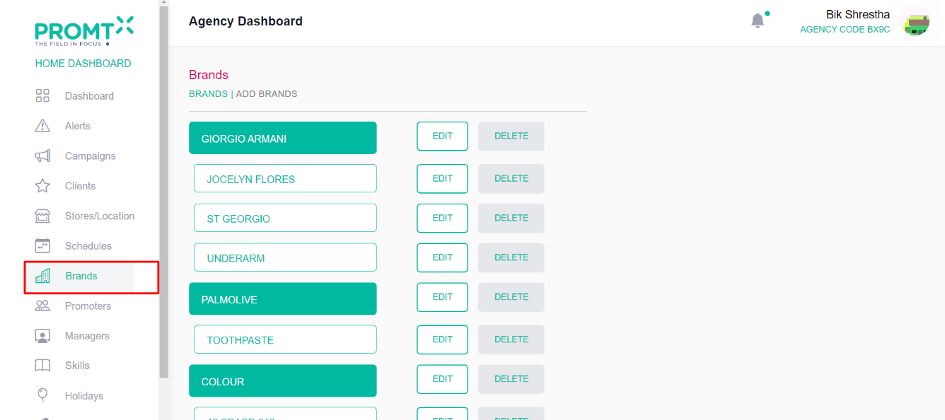
Step 1: Click on the Brand from the side-navbar.
Step 2: Click on the Add brand
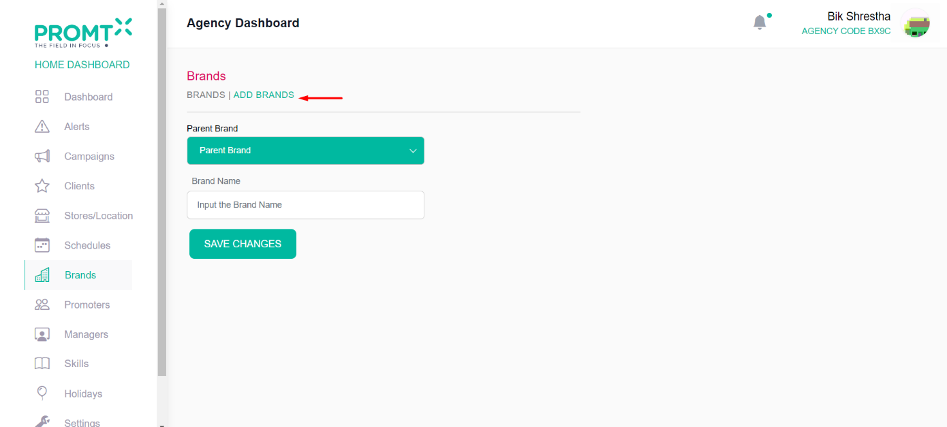
Note: User need to choose/leave the parent brand on dropdown menu if plan to create a parent brand. Alternatively, select the brand under which they intend to create a sub-brand.
Step 3: Enter the brand name on the input field and click on save changes.
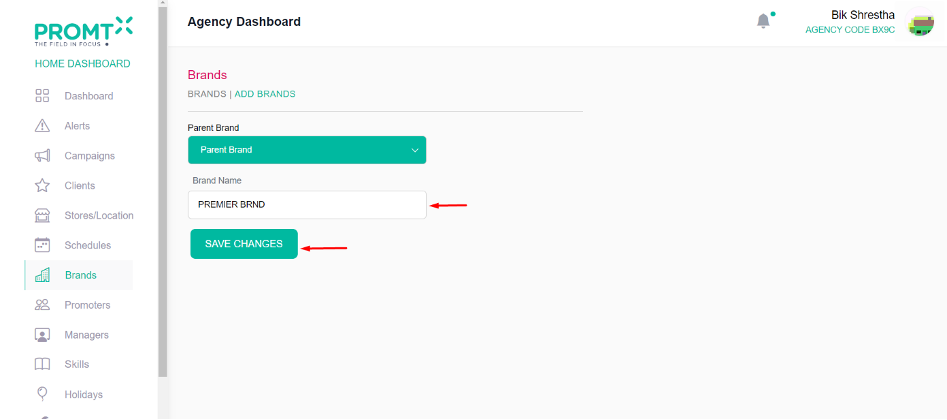
Note: User can edit and delete the brand from the brand list page.
Step 4: Click on Brands.
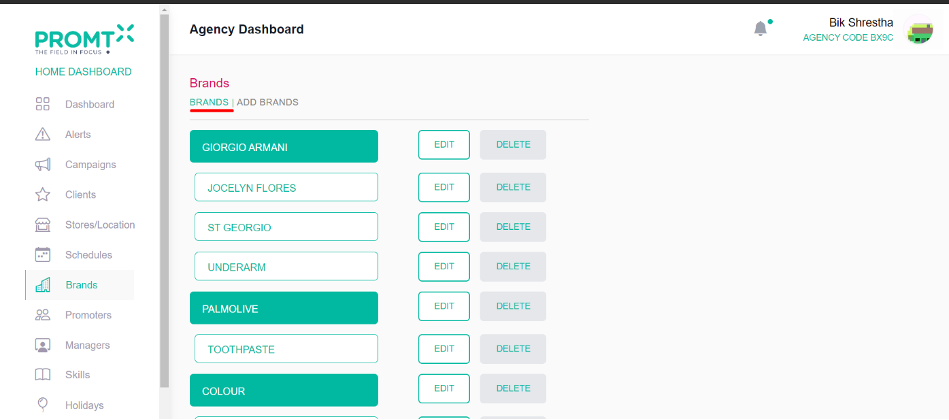
Note: Deleting the parent brand will result in the deletion of all its sub-brands. If the user wishes to make one parent brand a sub-brand of another parent brand, the sub-brands under the former will be removed. Be aware that the brand already contains sub-brands, and proceeding will result in their removal.