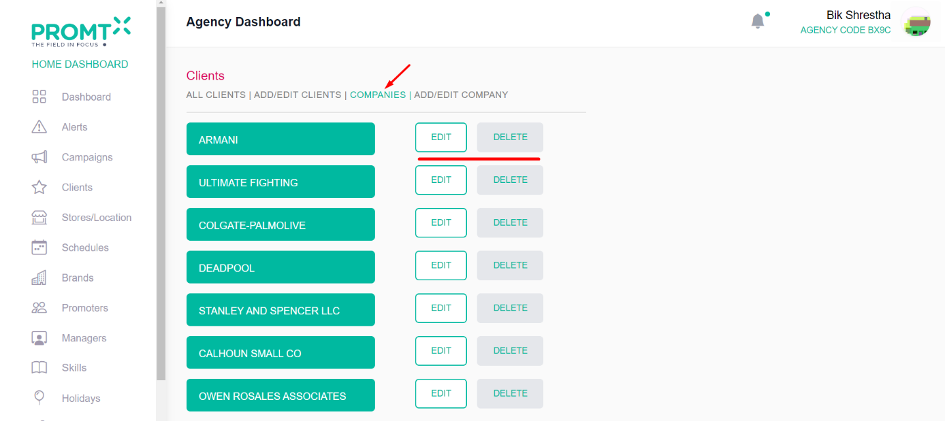
To Add Company User should be on the Agency dashboard.
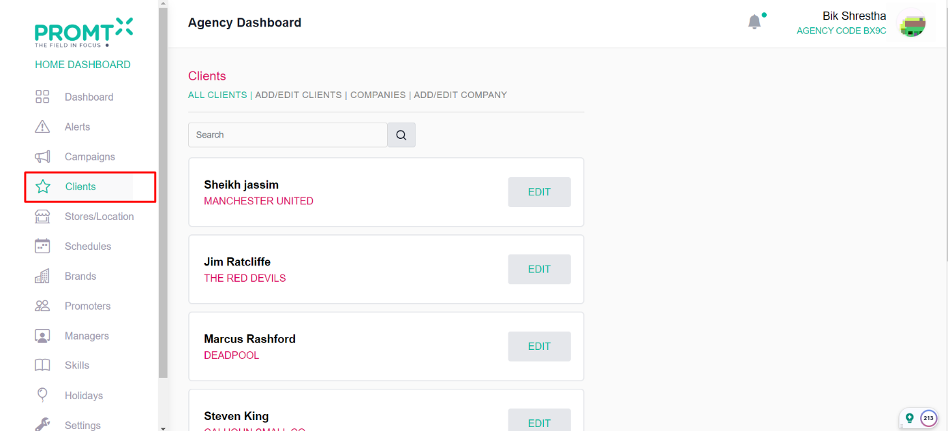
Step 1: Click on the client from the side-navbar.
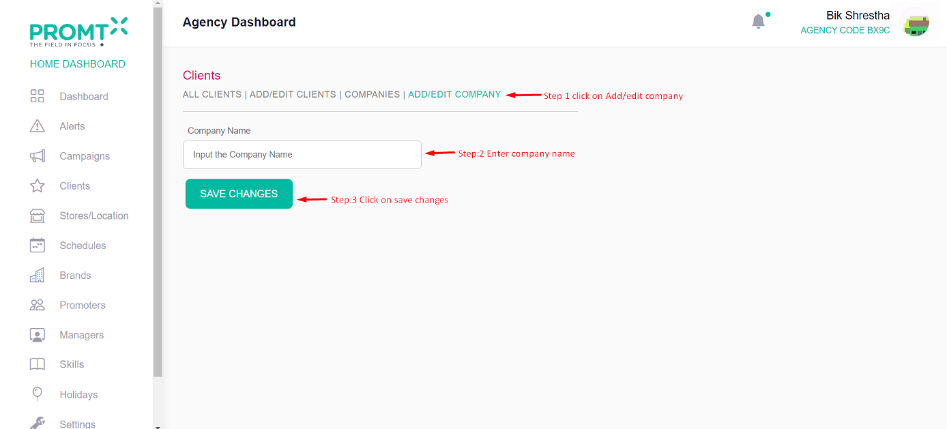
Step 2: Click on the add/Edit Company
Enter company name and click on save changes
Note: Users can edit and delete companies directly from the company list page, where all the added companies are listed.
Step 3: Click on the Companies