
Task
Users have the ability to add campaign tasks and store task. To add a task, users should be on campaign dashboard.
Campaign Task
Users should be on campaign dashboard to add campaign tasks.
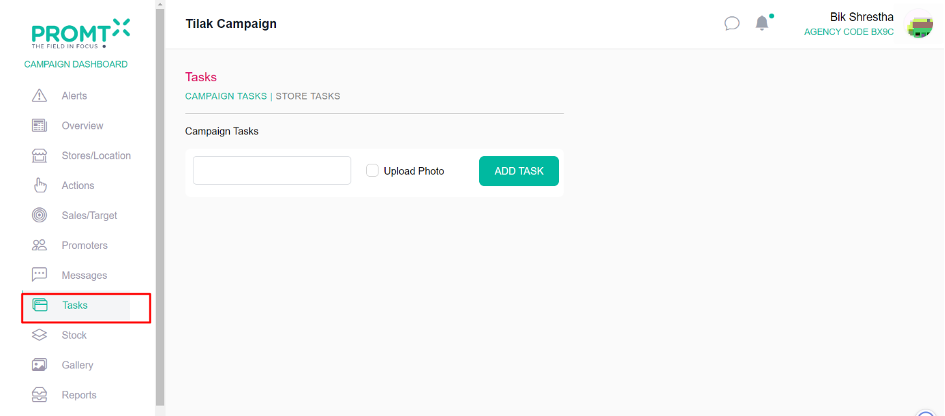
Step 1: Click on Task
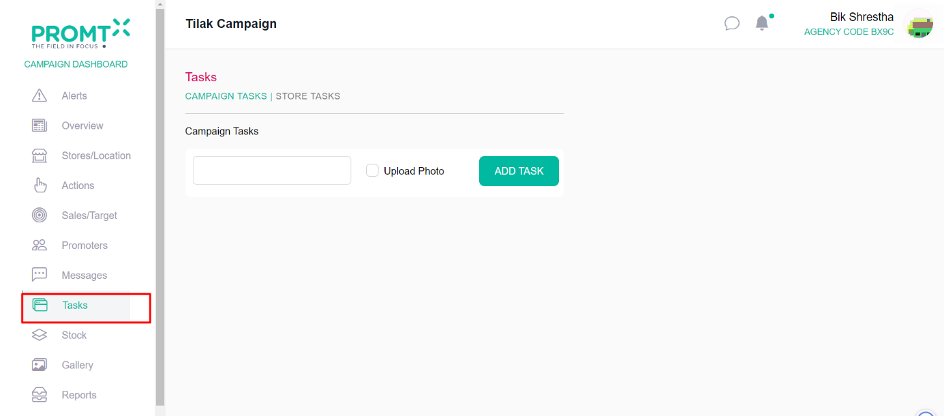
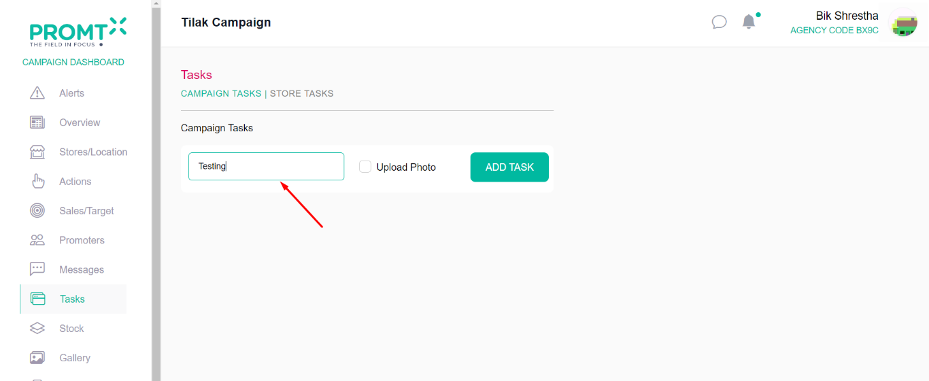
Step 2: Enter task name on the input field.
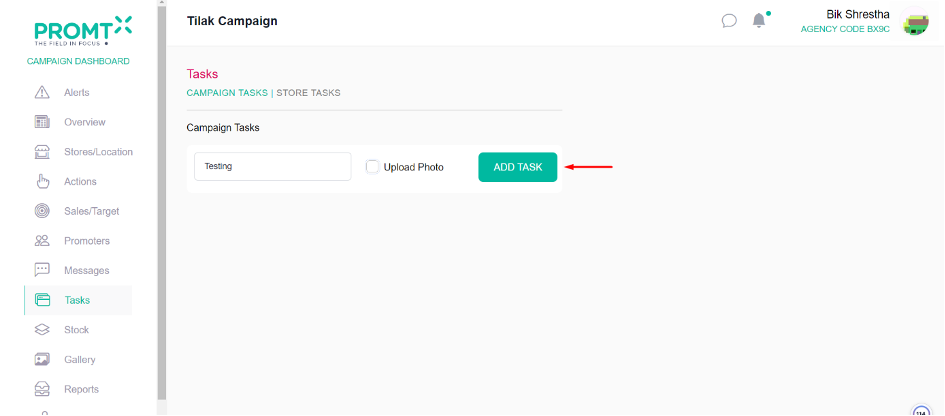
Step 3: Click on Add task
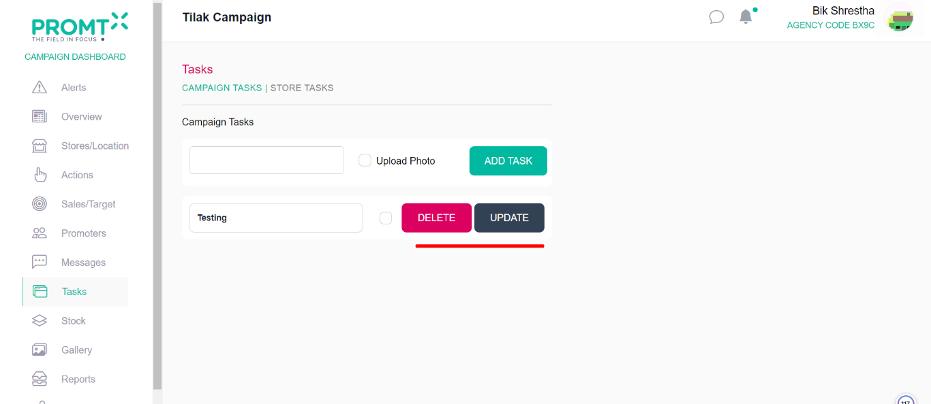
Note: Once a campaign task is added, the tasks are listed on the same page below. Users can also delete or update tasks by clicking on the corresponding update or delete button.
Store Task
Users should be on campaign dashboard to add store tasks.
Step 1: Click on Task
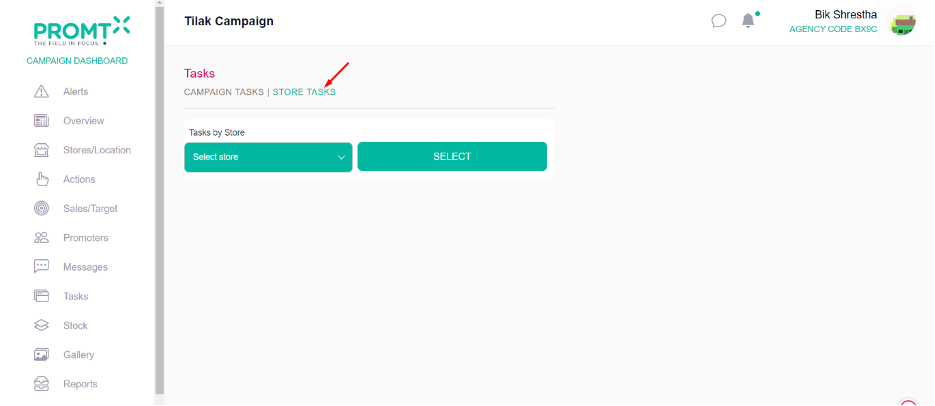
Step 2: Click on store tasks
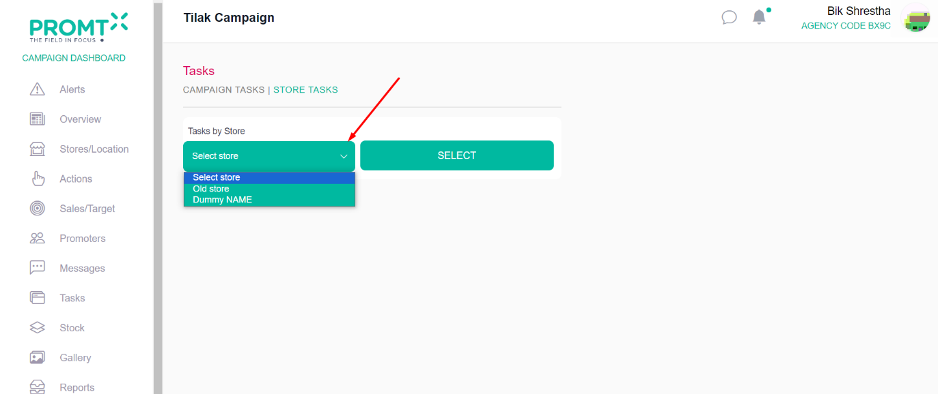
Step 3: Select the store from the dropdown.
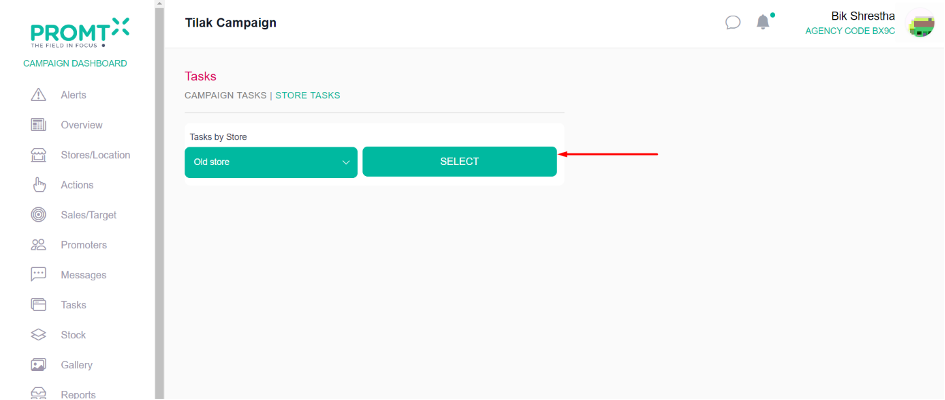
Step 4: Click on select
Step 5: Enter the store task name
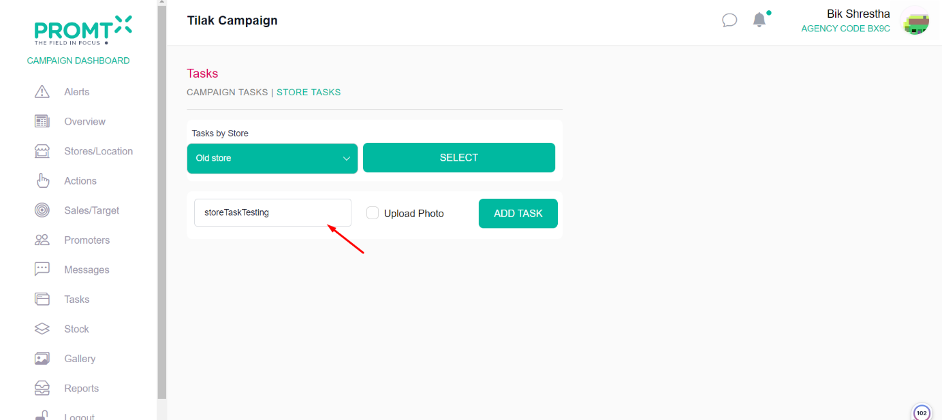
Step 6: Click on Add Task
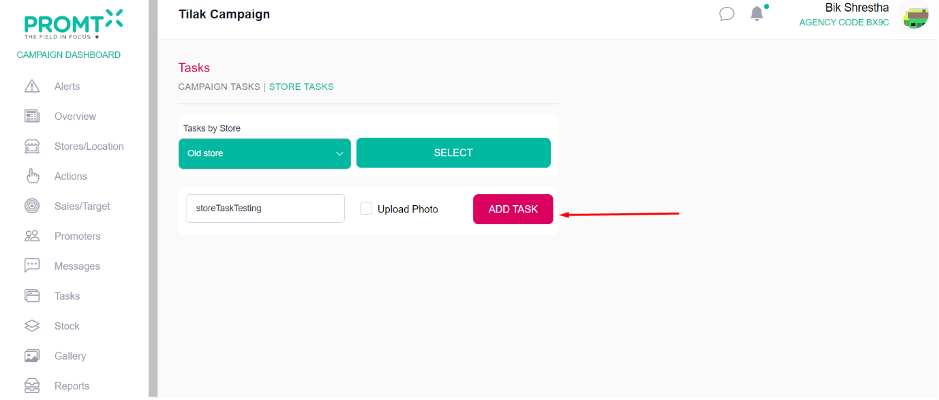
Note: Once a store task is added, the tasks are listed on the same page below. Users can also delete or update tasks by clicking on the corresponding update or delete button.