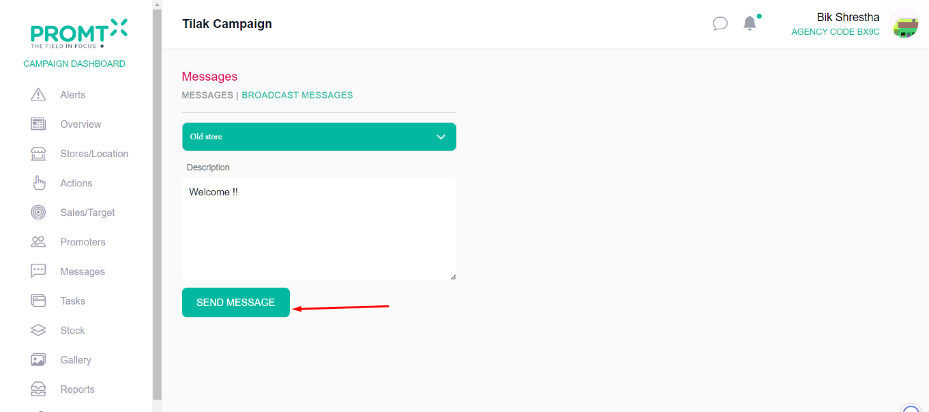
Users can send messages to the manager and promoter assigned to the campaign. Within the Messages section, users can send messages to specific promoters and managers, as well as to specific stores or all stores using the Broadcast Message section.
All Messages
To send a message to a specific promoter and manager, users should be on campaign dashboard.
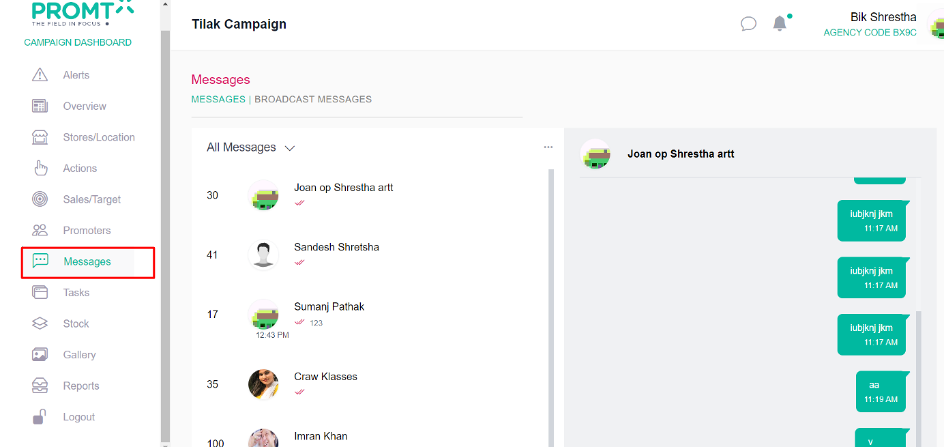
Step 1: Click on the “Message” tab.
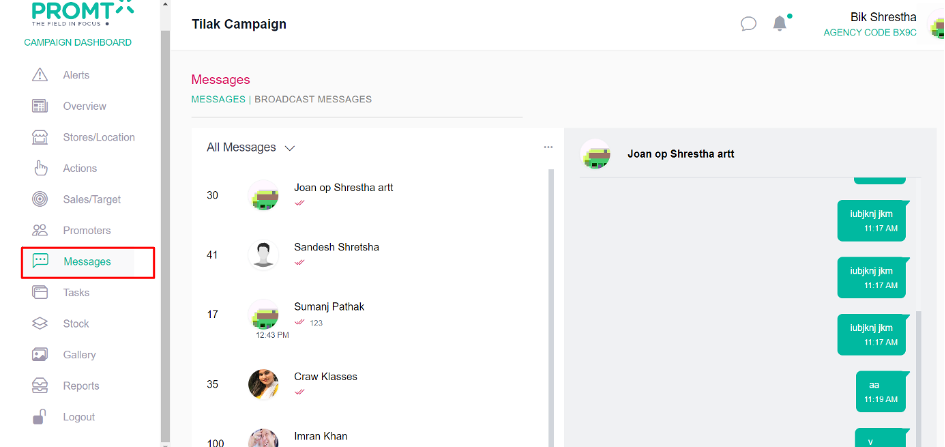
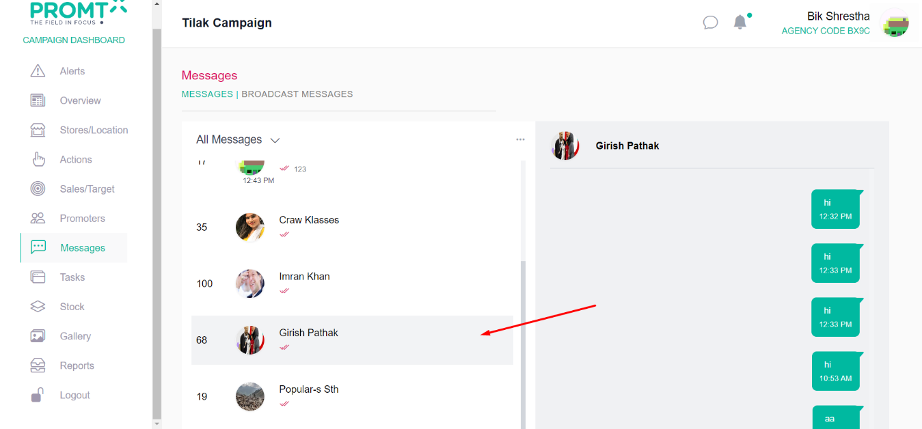
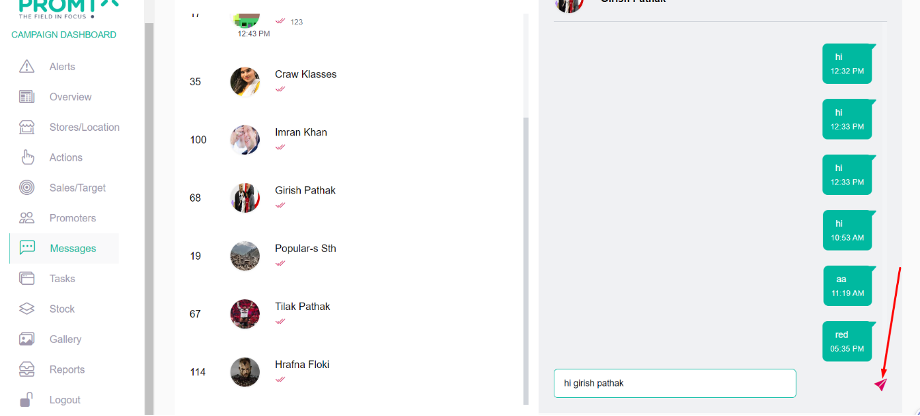
Step 2: Select the promoter or manager to send message.
Step 3: Enter the message on the input field.
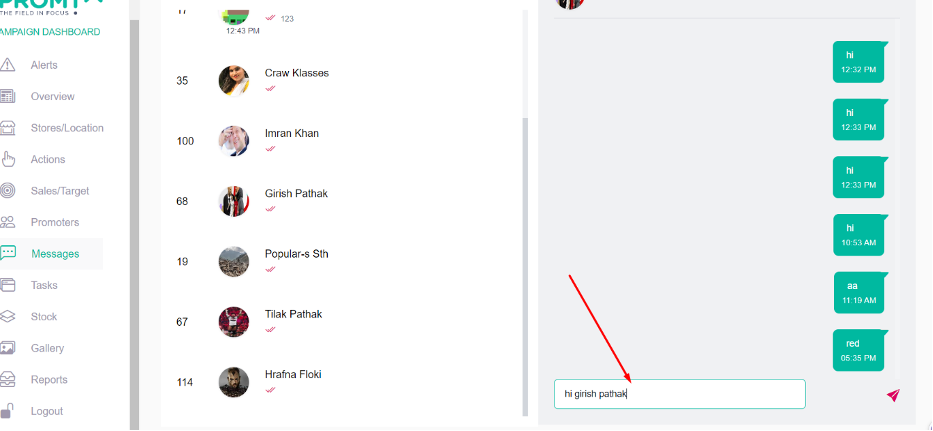
Step 4: Click on Send Icon
Broadcast Messages
To send a message to a specific store or All Store, users should be on campaign dashboard.
Step 1: Click on the “Message” tab.
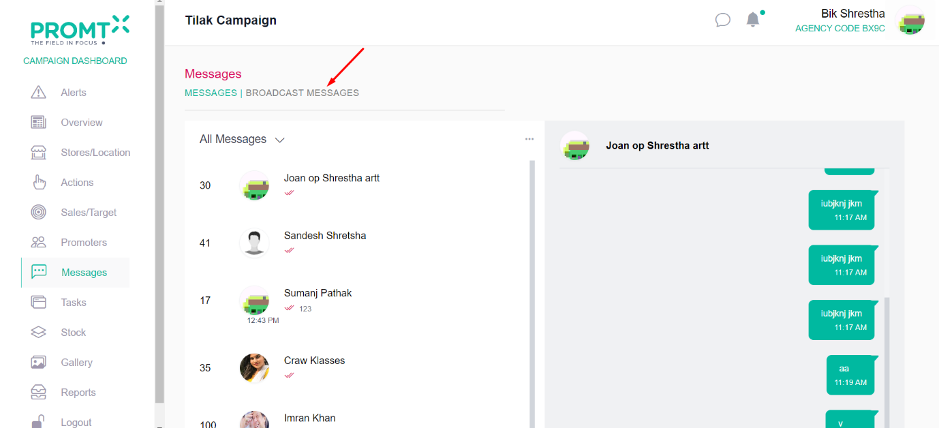
Step 2: Click on Broadcast messages
Step 3: Select store from the dropdown.
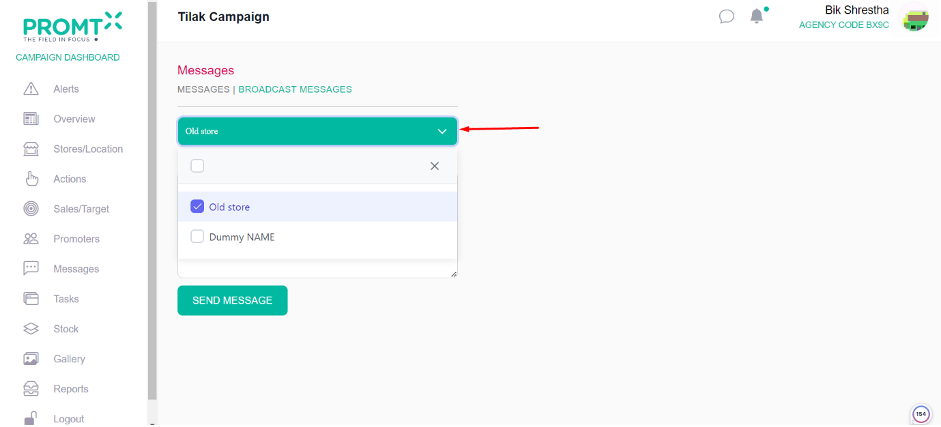
Step 4: Write message on description field.
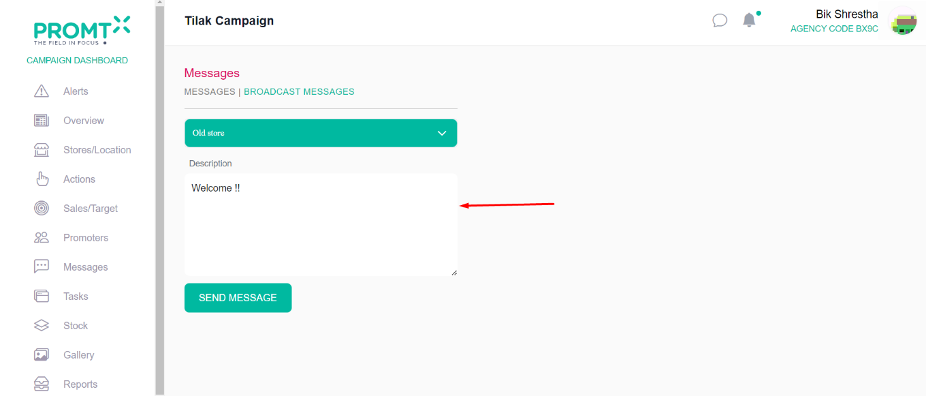
Step 5: Click on Send Message