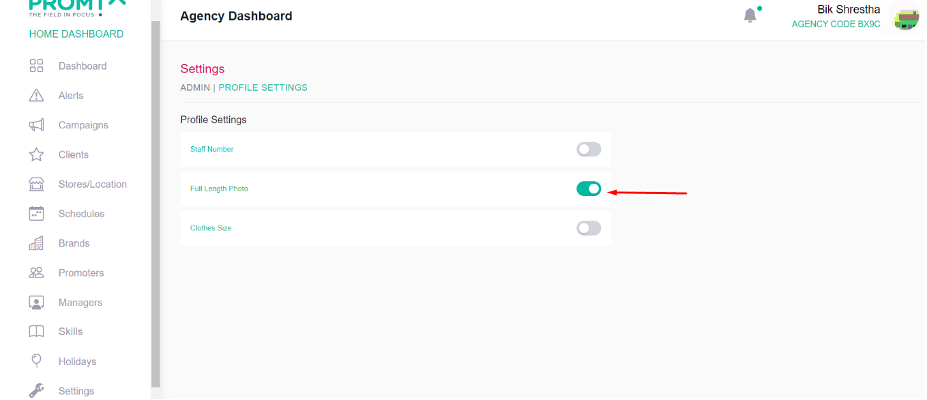
Users have the ability to customize the website’s color theme. Additionally, they can designate the “Add Promoter” page field as required.
Customize colour theme
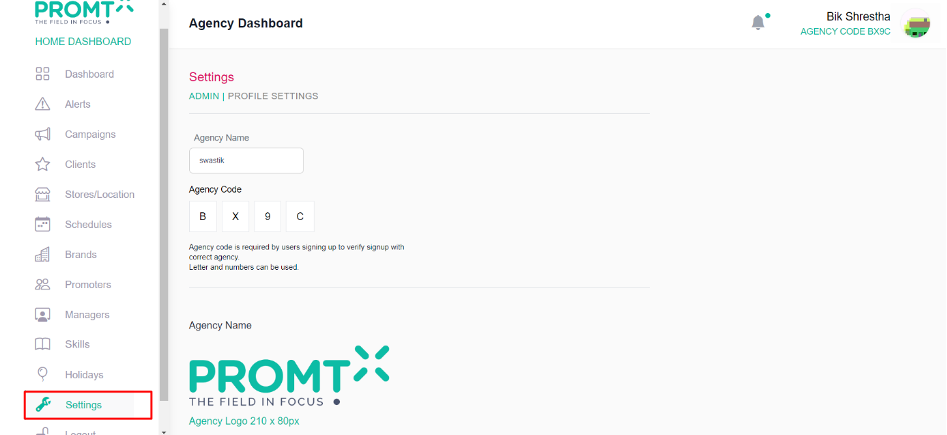
Step 1: Click on Settings
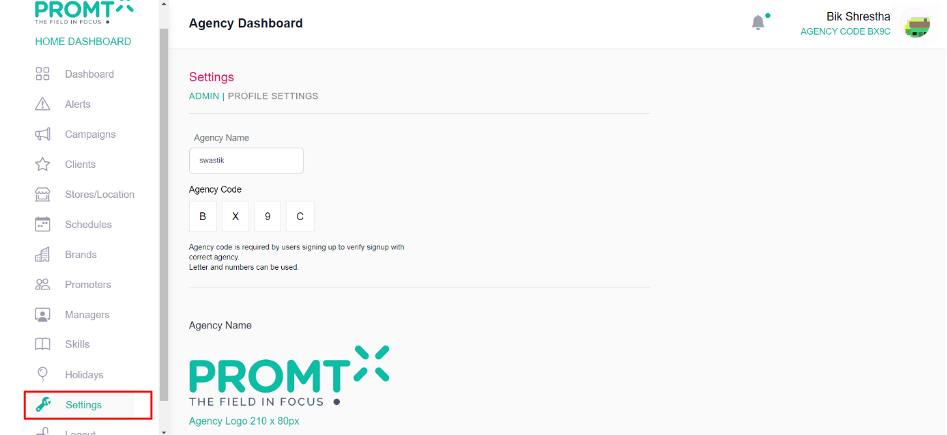
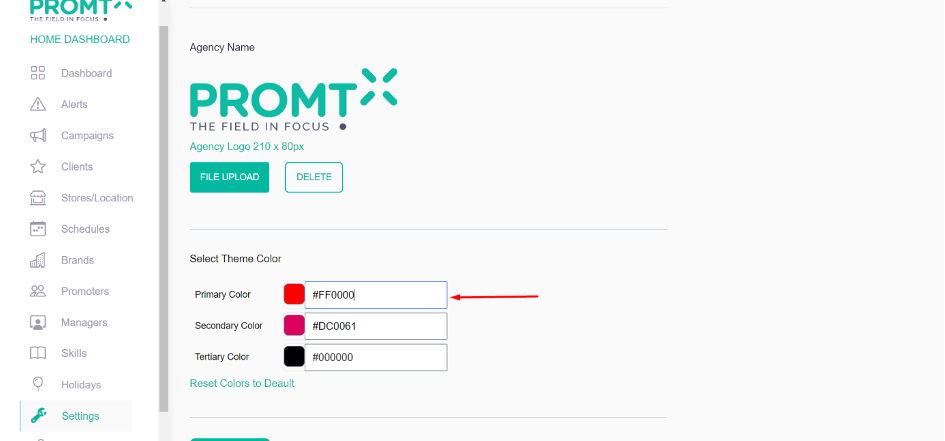
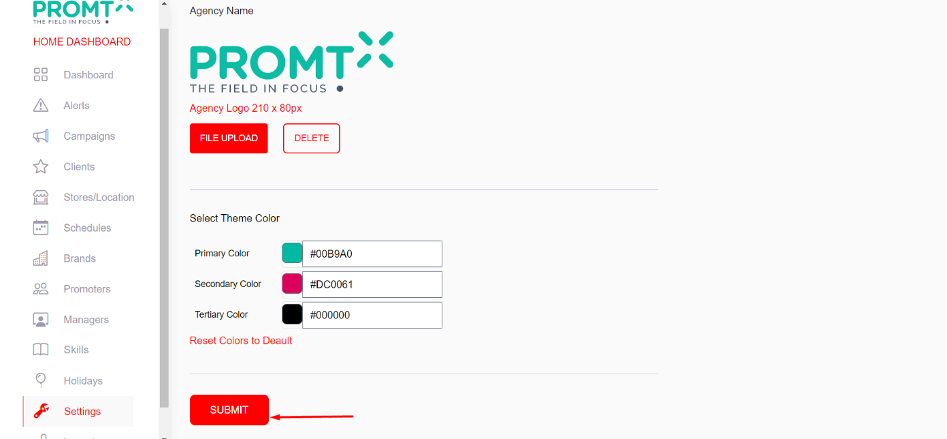
Step 2: Enter the color code
Step 3: Click on Submit
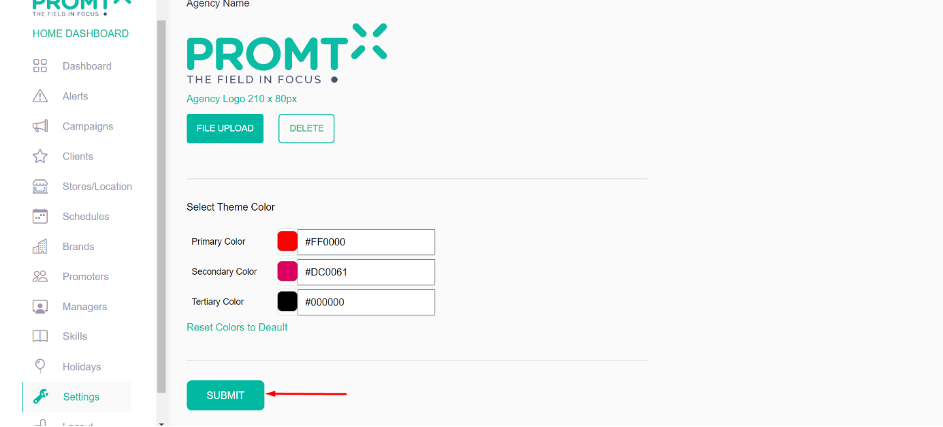
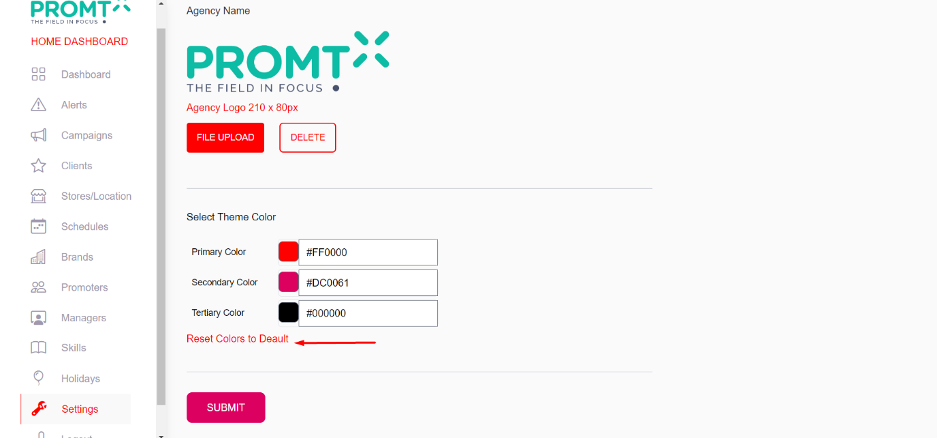
Note: Users have the option to restore the default color theme by selecting “Reset Colors to Default.
Step 4: Click on Reset colors to Default
Step 5: Click on Submit
Profile Settings
User can designate the “Add Promoter” page field as required from the profile settings pages.
Step 1: Click on Settings
Step 2: Click on Profile Settings
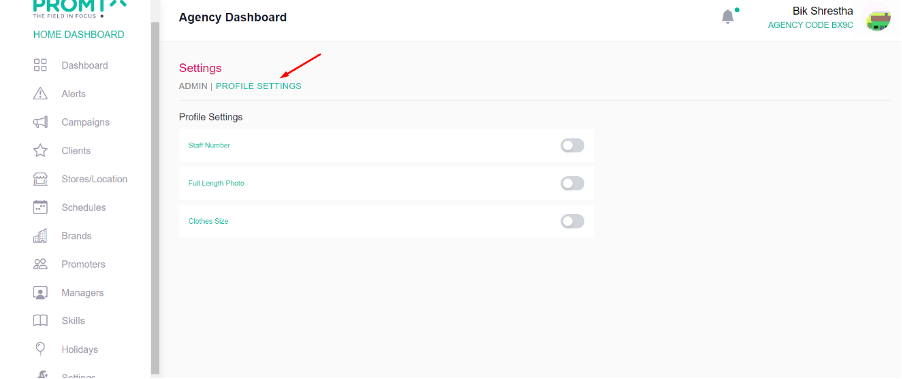
Step 3: Toggle the button to designate the necessary field on the “Add Promoter” page